PRINCE2, Agile or Hybrid —governed end to end
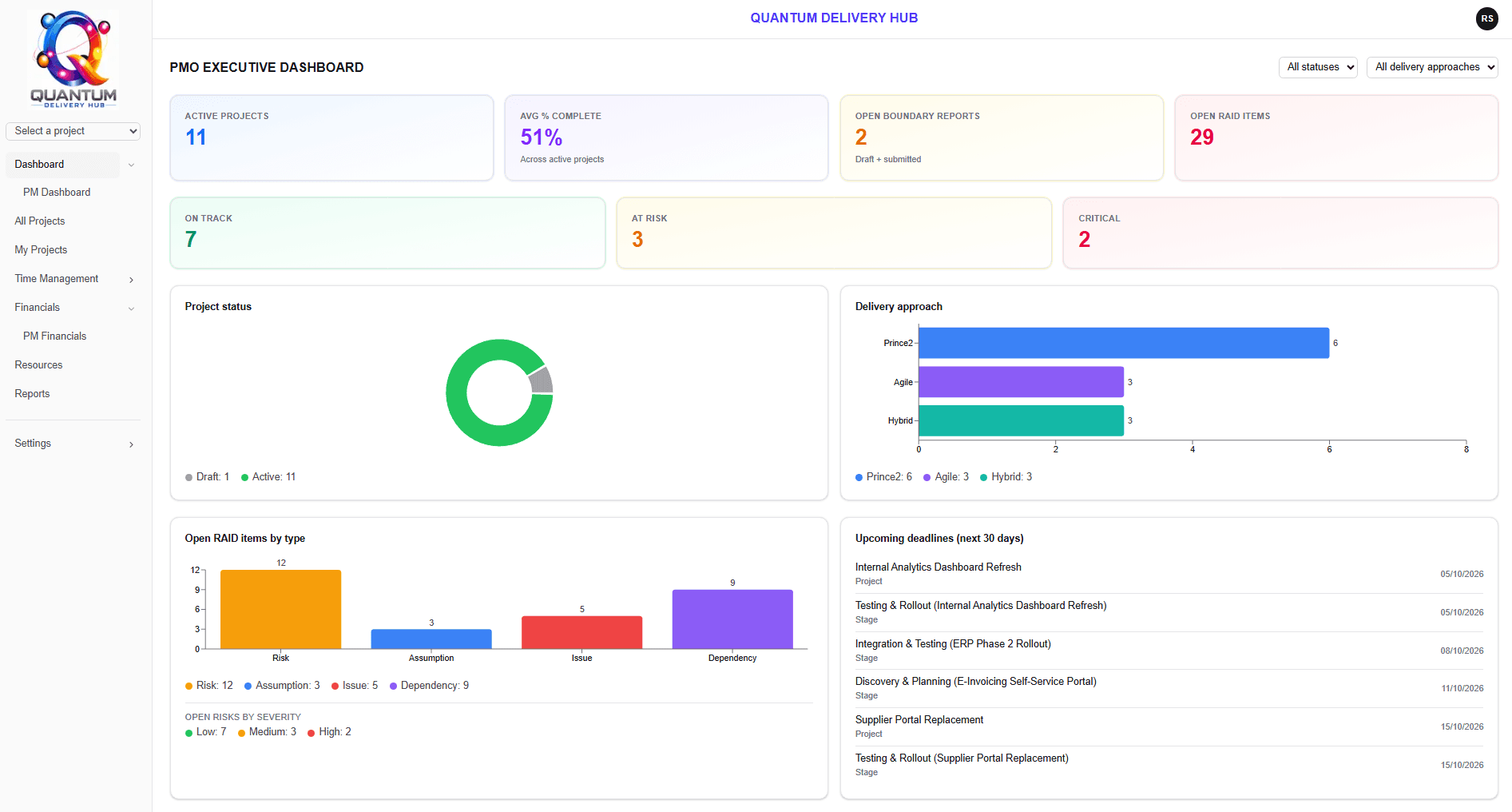
Quantum Delivery Hub connects your plan, governance and numbers in one platform — PRINCE2, Agile or Hybrid, set per project. So whatever reaches a stage gate or sprint review comes from the plan itself, not a deck assembled the night before.
Quantum Delivery Hub is in final testing ahead of general release. Early access places are open now.
Per-seat licensing from £9/month · Data held in London (europe-west2)
What is Quantum Delivery Hub?
Most delivery teams run a project across four tools — the plan in one, the RAID log in a spreadsheet, governance documents in Word, timesheets somewhere else. Quantum Delivery Hub is a platform for running projects and programmes — PRINCE2, Agile or Hybrid, set per project — from initiation through to closure and lessons learned, that brings all of it together: the governance artefacts, the plan, the controls and the numbers in one place, so the document you present at a stage gate is generated from the same data your team worked from — not assembled by hand the night before.
It is built and operated by Quantum Consultancy Ltd, a consultancy whose own practice is PMO delivery, transformation and management information. The product exists because we needed it.
Governance that holds up
Seven PRINCE2 document types, each with a real approval workflow and an immutable PDF plus audit record generated on approval.
One connected data set
Plan, RAID, stakeholders, quality and customer information feed the documents. Change something once and it is reflected everywhere.
Delivery and money together
Time, cost to completion, purchase-order burn-down and billing sit alongside the plan rather than in a separate spreadsheet.
Who is it for?
Mid-market organisations, broadly 100 to 2,000 people, where delivery is formal enough to need governance but the PMO is too small to absorb enterprise tooling and its administration overhead. The people who feel the problem first are Heads of PMO, Transformation Directors and COOs.
The typical position before adopting it: plans in one tool, a RAID log in a spreadsheet, governance documents in Word on a shared drive, timesheets somewhere else, and a monthly scramble to reconcile all four into a status report that is already out of date.
Which delivery approaches does it support?
PRINCE2, Agile or Hybrid — set per project, not baked into the platform.
The delivery approach is set per project. PRINCE2 projects run on the Gantt with formal stage boundaries and gate approval. Agile and Hybrid projects additionally get Kanban, backlog and active sprint views — alternate renderings of the same task and stage data, not a separate system running alongside it.
How real are the governance controls?
These control points exist as working features, not as labels on a generic task platform. Governance documents, PRINCE2 stage boundaries and gate approval, a named change authority, a quality register and a lessons learned log are all first-class parts of the platform.
Seven governance documents
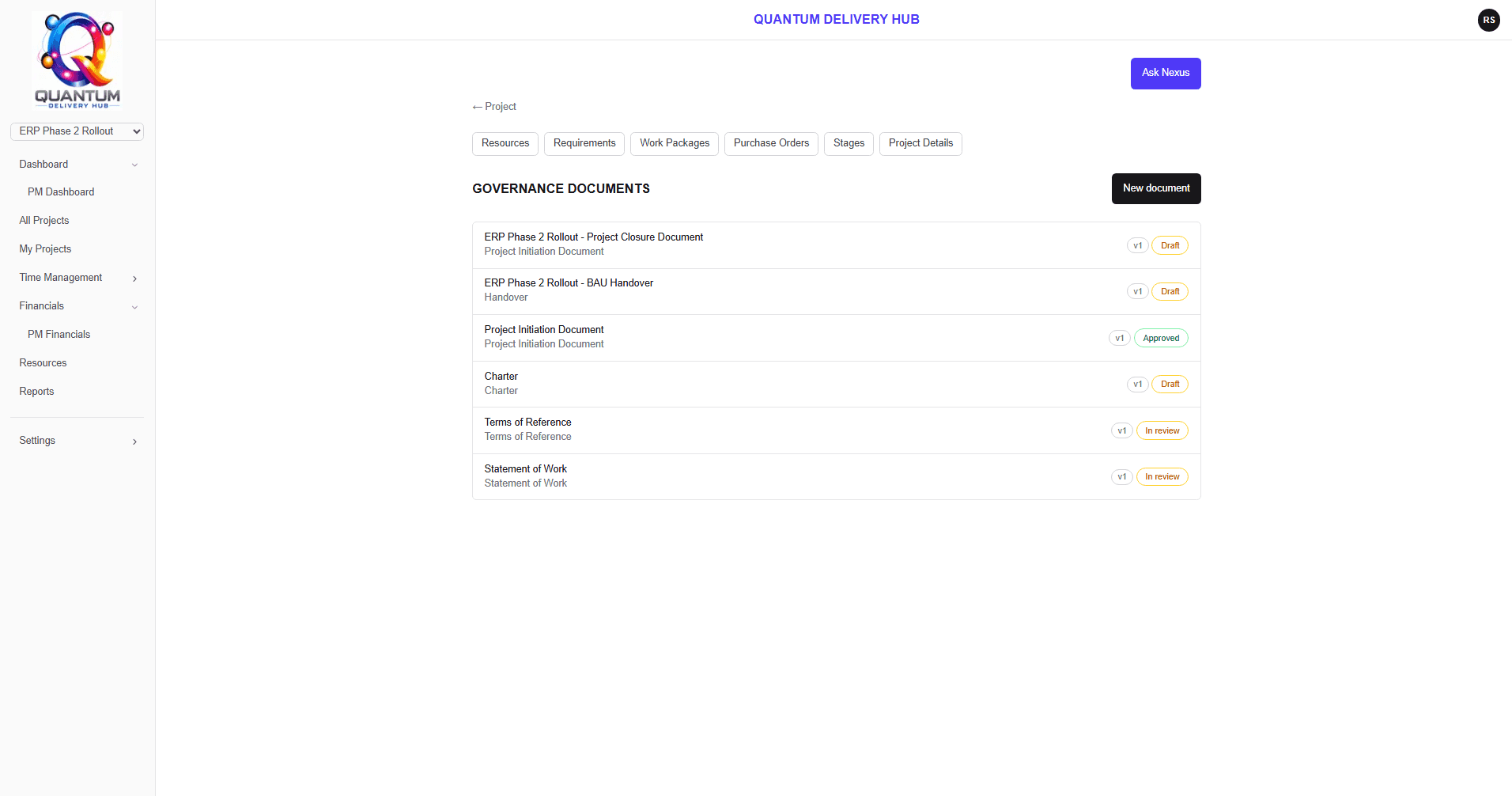
PID, Statement of Work, Terms of Reference, Charter, Handover, Closure Report and Lessons Learned Report — built to house-style templates with draft, review and approval states.
Project board roles
Executive, Senior User and Senior Supplier tagging on stakeholders, with a board summary on the project overview.
Quality register
Method, acceptance criteria and pass/fail results recorded per item, feeding a continuous lessons learned log.
Stage boundaries & gates
Boundary reports and gate approval, scoped to PRINCE2 projects where the concept genuinely applies.
RAID log
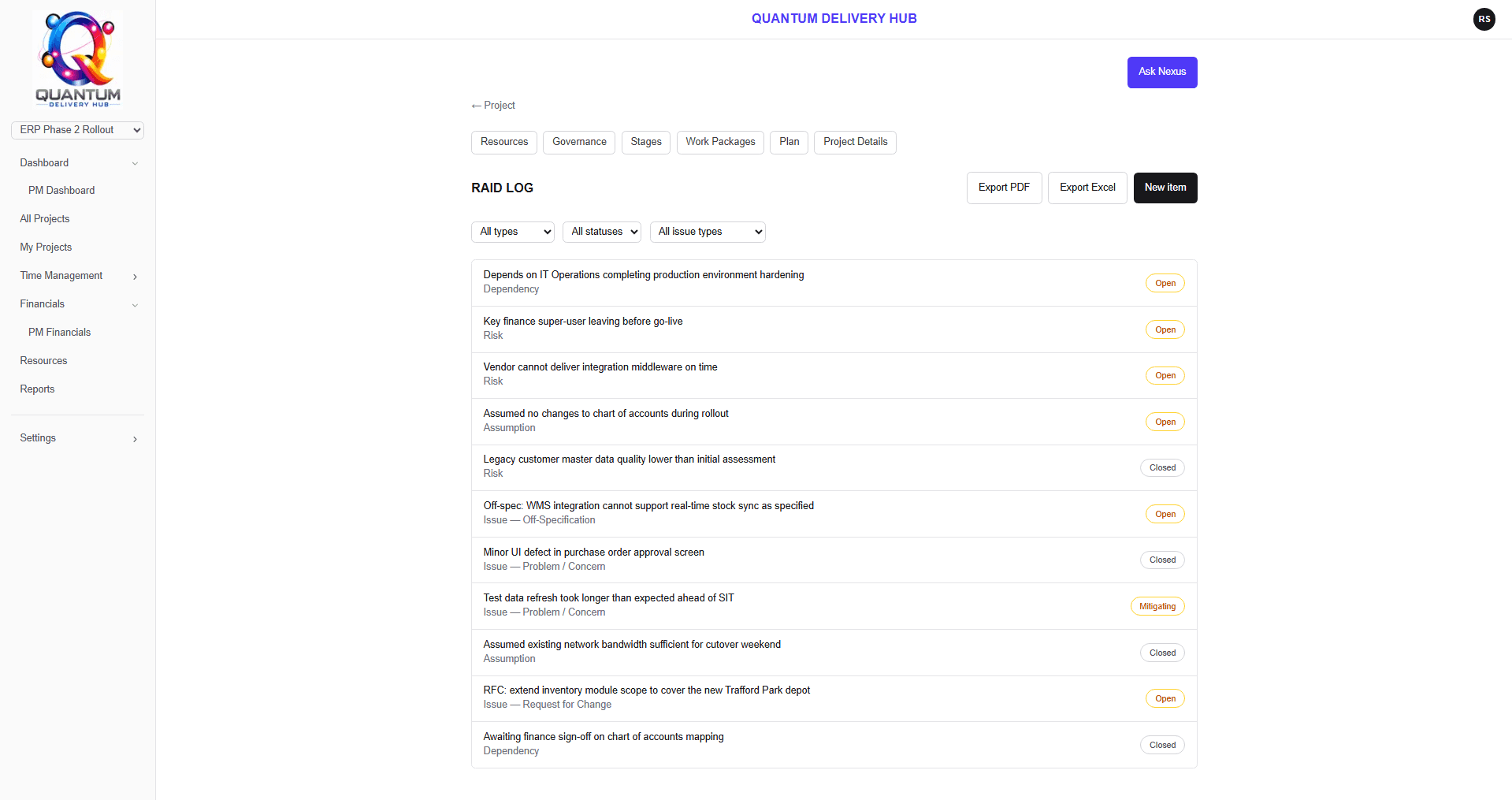
Risks, assumptions, issues and dependencies with export to Excel and PDF.
PRINCE2, Agile or Hybrid
Set per project. Agile and Hybrid additionally gain Kanban, backlog and sprint views over the same task data.
How does change control work?
The usual undifferentiated “issues” bucket is split into three: requests for change, off-specifications, and problems or concerns. The two that need a decision — requests for change and off-specifications — route to a named Change Authority, who must approve or reject before anything proceeds.
The distinction matters because the three demand different responses. A request for change needs a decision. An off-specification needs a concession or a fix. A problem or concern needs escalation and a response, not an approval — which is why it is tracked alongside them but not routed for sign-off. Collapsing all three into one list is how scope quietly moves without anyone approving it.
Project-scoped capability overrides narrow who can approve what on a per-project basis — so the approver for governance documents, boundary reports and cost-to-completion statements can differ between projects without granting anyone blanket rights across the organisation.
- 01Draft
Pre-filled from real project data at creation, or AI-drafted for review.
- 02In review
Routed to the named approver for that project.
- 03Approved
Editing locks. The record becomes the version of truth.
- 04Immutable PDF + audit record
Who approved it, and when. Generated automatically.
Applies to all seven document types: Project Initiation Document · Statement of Work · Terms of Reference · Project Charter · Handover Document · Closure Report · Lessons Learned Report
What does it do for planning, time and cost?
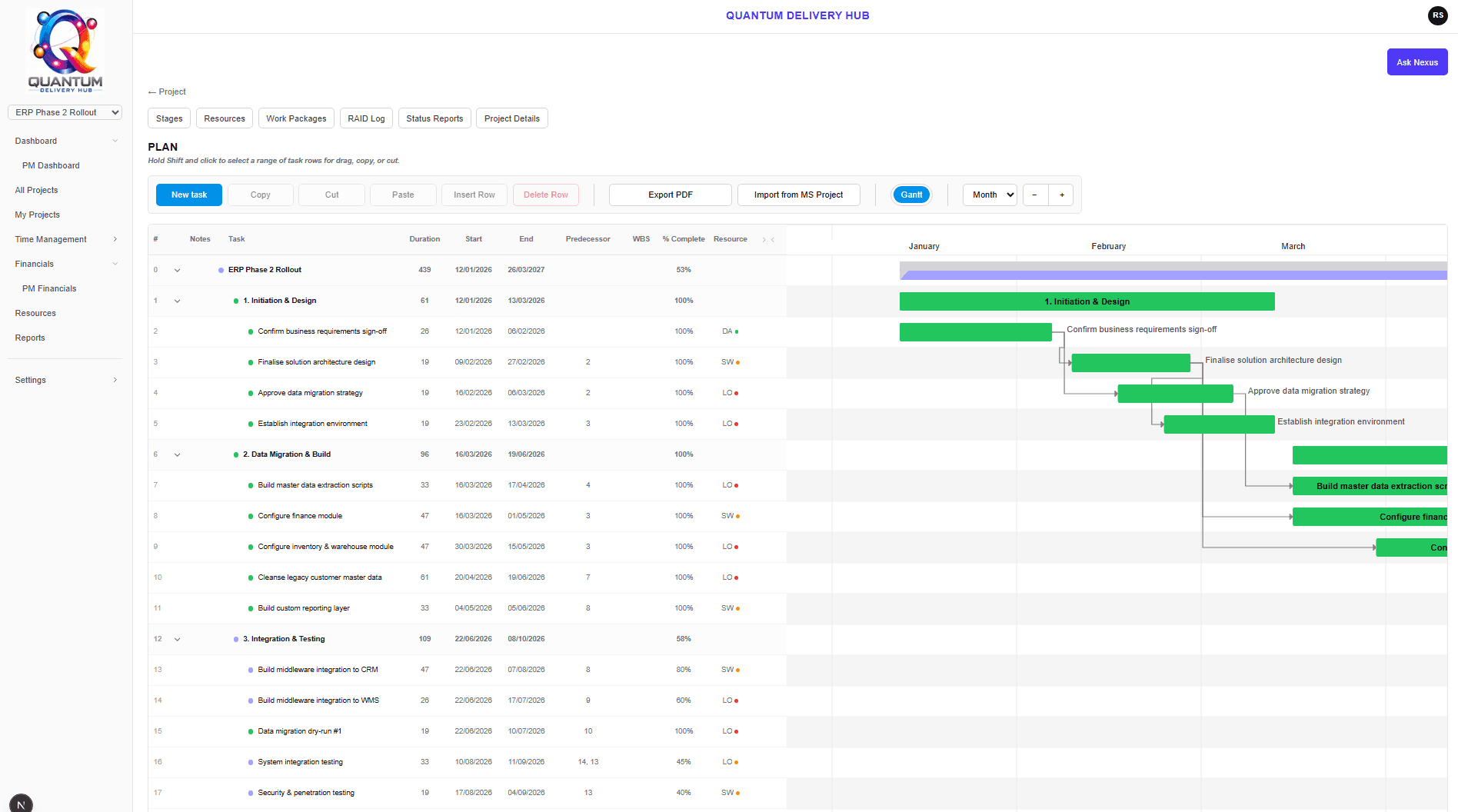
It plans the work, records the effort against it, and turns both into a defensible cost position — without leaving the platform.
Plan & Gantt
Dependencies with circular-dependency detection, resource pools, capacity-based over-allocation highlighting, drag and drop, and export or print.
Microsoft Project import
Bring existing .mpp plans across, including structure and dependencies, rather than re-keying them.
Time tracking
A weekly self-service grid, org-wide reporting with drill-down, per-project submit, approve, reject and reopen, and per-entry provenance carried into billing.
Cost to completion & billing
CTC statements, purchase-order tracking and burn-down, multi-currency support and statement issue by email.
Financials
Billings comparison, revenue forecast, utilisation trending and capacity against demand — filterable, sortable and exportable.
Capability-based access
Sixty-two named capabilities rather than blunt role switches, with per-project overrides and admin-driven block, unblock and password reset.
How does the AI work — and what won’t it do?
It reasons over figures the platform has already calculated. It never calculates them itself, and it never writes to an approved record without review. In a governance platform that restraint is the feature, not a limitation.
Nothing in the AI layer can move governance state on its own. Every feature either proposes something a person then reviews, or is read-only and cannot act at all.
Delivery Insight
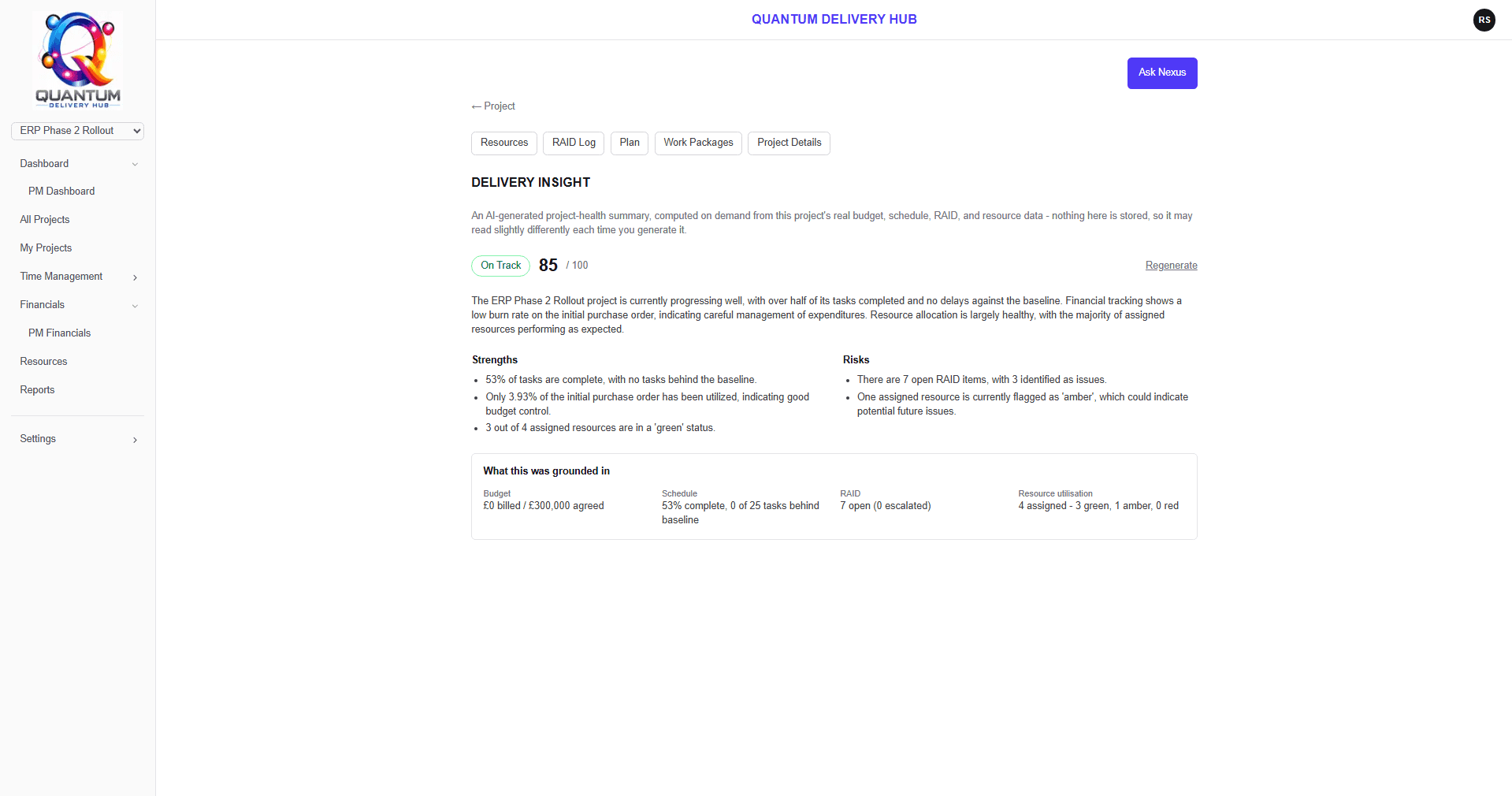
Assembles real computed data — budget and CTC burn, schedule variance, RAID counts, resource utilisation — and returns a summary, strengths, risks, a recommendation and a score.
Assisted document drafting
Six of the governance document types can be AI-drafted from real project data, pre-filling the editor with a readiness check first. The draft always goes to a human for review.
Resource suggestions
Proposes viable candidates with capacity context rather than auto-assigning people to work.
Ask Nexus
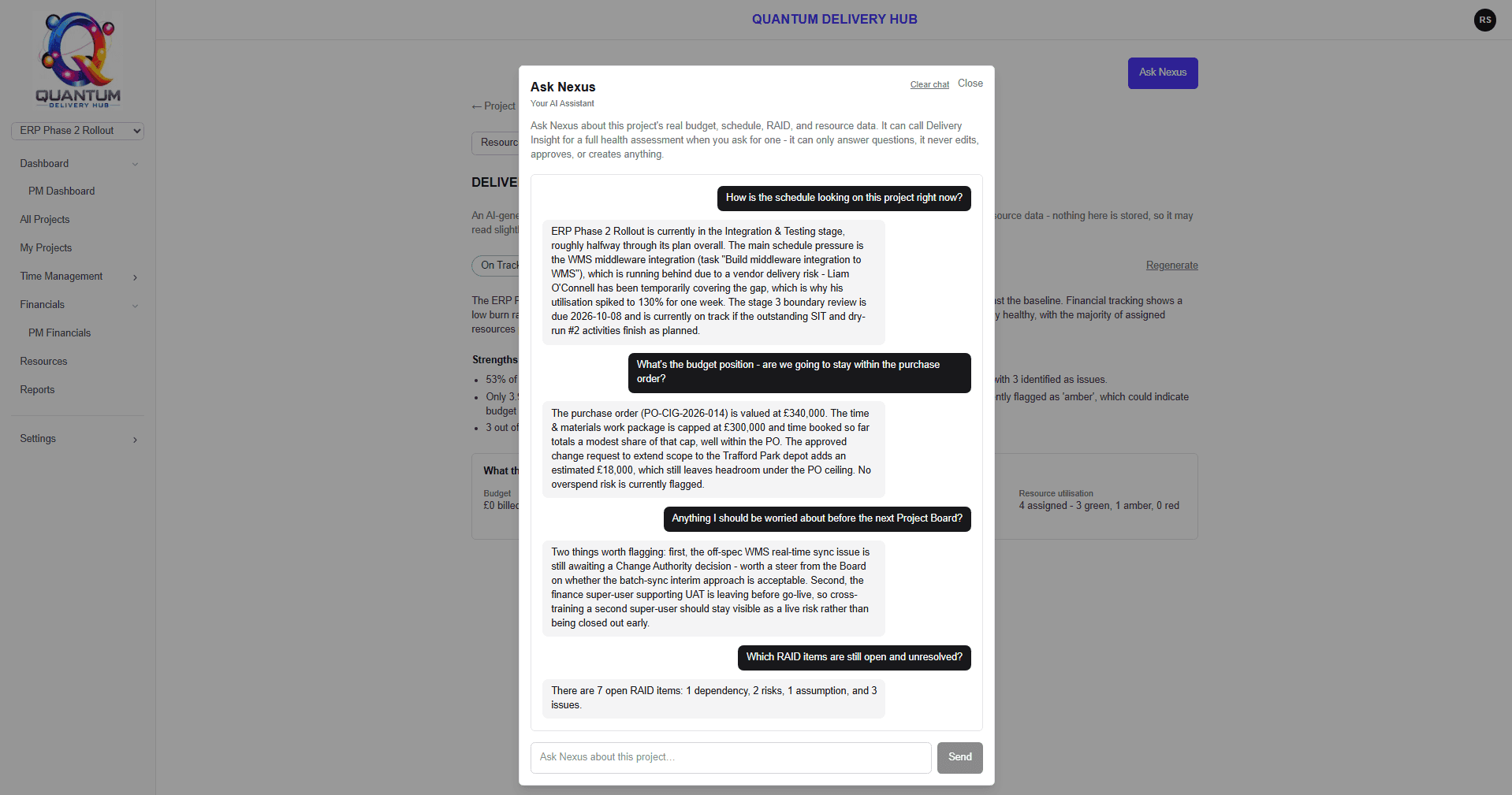
A project-scoped assistant you can open over any screen. It answers from a snapshot of that project’s real budget, schedule, RAID and resource data, rebuilt for every question. Read-only — it cannot edit, approve, create or send anything.
There is also a rule-based automation engine — trigger, condition, action — covering RAID items raised, boundary reports submitted, gate approvals pending and CTC statements issued, with deterministic actions such as changing status, assigning an owner or notifying by email. Deliberately deterministic: automation that moves governance state should be predictable.
See it in two minutes
A short walkthrough of the governance document workflow, planning, change control, time and cost.
What does it cost?
Licensing is per role, per seat, per month — so people who only approve or only read do not pay for full project-manager functionality. On a typical project board that is where most of the saving against flat per-user pricing comes from.
Creates and runs projects, owns the plan, raises governance documents, manages RAID, resources and cost to completion.
Works tasks and work packages, books time, raises RAID items and quality entries, contributes to documents.
Approves governance documents, boundary reports, cost-to-completion statements and requests for change.
Sees project status, RAID, planning and reports, and comments without changing delivery data.
What a pool of 10 licences covers
Each person is charged at their own role’s monthly price. Licences are the capacity those people draw from, bought as a pool rather than one per person: a project manager takes a full licence, an approver or a contributor takes a half, and a stakeholder takes a quarter. Your team is almost always larger than the number of licences it needs.
| Role | People | Each draws | Licences used |
|---|---|---|---|
| Project Managers | 4 | 1 | 4 |
| Approvers | 4 | 0.5 | 2 |
| Contributors | 4 | 0.5 | 2 |
| Stakeholders | 8 | 0.25 | 2 |
| Total | 20 people | 10 licences |
Pricing at general release. Prices exclude VAT. Early access participants will be told their terms before any billing begins.
Common questions
Does Quantum Delivery Hub replace Microsoft Project?
For most delivery teams, yes. Quantum Delivery Hub includes a full plan and Gantt view with dependencies, circular-dependency detection, resource pools and capacity-based over-allocation highlighting. Where it goes further than a scheduling tool is governance: the plan is connected to your RAID log, stakeholders, quality register, time records and cost-to-completion statements, so a change in one place is reflected everywhere. If you already hold plans in Microsoft Project, you can import them rather than rebuild them.
Can I import my existing project plans?
Yes. Quantum Delivery Hub imports Microsoft Project .mpp files directly, including task structure and dependencies, so an existing programme can be brought across rather than re-keyed.
What happens to a governance document once it is approved?
It is locked. Each of the seven document types moves through a draft, in-review and approved workflow, and on approval the platform generates an immutable PDF together with an audit record of who approved it and when. The approved version cannot be quietly edited afterwards, which is the property that makes the document useful in an audit or a stage gate.
Do occasional approvers and stakeholders need a full licence?
No, and this is where Quantum Delivery Hub costs materially less than flat per-user tools. Licences are bought as a pool, and each role draws a different share of one licence: a project manager takes a full licence, an approver or contributor takes a half, and a stakeholder takes a quarter. So a project board member who approves a handful of documents a month, and a stakeholder who only reads reports, between them consume three quarters of a single licence — rather than two full ones for functionality neither will open.
Which delivery approaches does it support?
PRINCE2, Agile and Hybrid, set per project. PRINCE2 projects run on the Gantt with formal stage boundaries and gate approval. Agile and Hybrid projects additionally get Kanban, backlog and active sprint views — alternate renderings of the same underlying task and stage data, rather than a separate system running alongside it.
What does the AI actually do, and what will it not do?
It reasons over figures the platform has already calculated; it never calculates them itself. Delivery Insight assembles real computed data — budget and cost-to-completion burn, schedule variance, RAID counts, resource utilisation — and returns a summary, strengths, risks, a recommendation and a score. Governance documents can be AI-drafted from real project data, but a draft is always presented for review and never written straight to an approved record. Resource suggestions propose viable candidates with capacity context rather than auto-assigning people.
What is Ask Nexus, and can it change anything?
No, it cannot change anything — Ask Nexus is read-only by design. It is an assistant scoped to a single project, opened over whatever screen you are already on, and it answers questions about that project’s budget, schedule, RAID and resources. Every question rebuilds a fresh snapshot of the project’s real data rather than reusing a cached one, and it is the same snapshot Delivery Insight works from, so there is only one set of figures to trust. It cannot edit, approve, create or send anything, and it is not permitted to claim it has. Access is gated by permission and licence, threads are private to the individual rather than shared across the team, and every call runs server-side in the London region. It works one project at a time — there are no portfolio-wide questions yet.
Where is our data held?
In Google Cloud’s London region (europe-west2). Access within your organisation is controlled by a capability-based permission model with 62 named capabilities, and permissions can be narrowed further on a per-project basis.
When can we start using it?
Quantum Delivery Hub is in final testing ahead of general release. Early access places are open now: request access and we will contact you to arrange onboarding and confirm timing for your organisation.
Get early access to Quantum Delivery Hub
Tell us about your delivery environment and we will be in touch to arrange onboarding and confirm timing for your organisation.
Book a demo